How to Convert URL to QR Code — Free Generator, No Sign-Up
To convert a URL to QR code, paste it into BulkQR’s free generator, choose colors and sizes, and download your QR code in under 60 seconds. No account required, no subscription, no software. This guide also covers static vs. dynamic code, the best URL formats to use, and six production best practices that most guides skip.
Table of Contents
What is a URL QR code, and how does it work?
A URL QR code is a scannable image that stores a web address. A phone camera reads the encoded pattern and opens the URL in a browser. No typing. No searching. One scan. The QR generator takes your URL as a string and encodes it into a grid of black and white squares. Each square position carries a bit of data.
A camera app reads the entire grid in milliseconds and extracts the URL. This is why QR codes are reliable for bridging physical materials with digital destinations. A poster, a product label, or a business card can all carry a scannable link with no distribution cost.
What gets stored inside the QR code?
The full URL string is stored inside the QR code itself. No server is involved in a static QR code at the moment of scanning.
This matters for one practical reason: longer URLs create denser QR codes. A URL like https://yourstore.com/p produces cleaner, smaller code than a long UTM-tagged URL with five parameters. Denser codes demand more precision from the scanner. The best practices section covers how to handle this.
How to Convert a URL to a QR Code: Step-by-Step
Step 1: Go to the URL to QR Code Generator
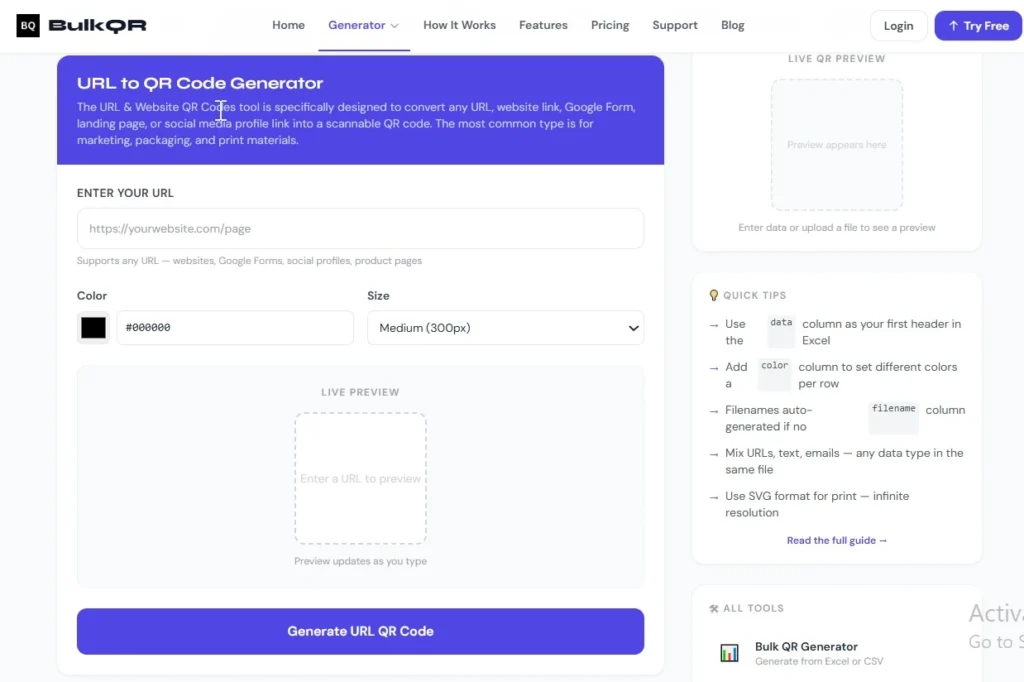
Open BulkQR’s free URL to QR code tool. The URL tab is pre-selected. No sign-up is required for basic use.
Step 2: Paste Your URL into the Input Field
Paste the full URL, including https://. Both long URLs and short URLs work. If your URL includes UTM parameters, paste the full tagged version; BulkQR handles it without truncation.
Keep in mind: very long URLs produce a denser QR code. If scannability matters at small print sizes, a shorter URL is a better choice.
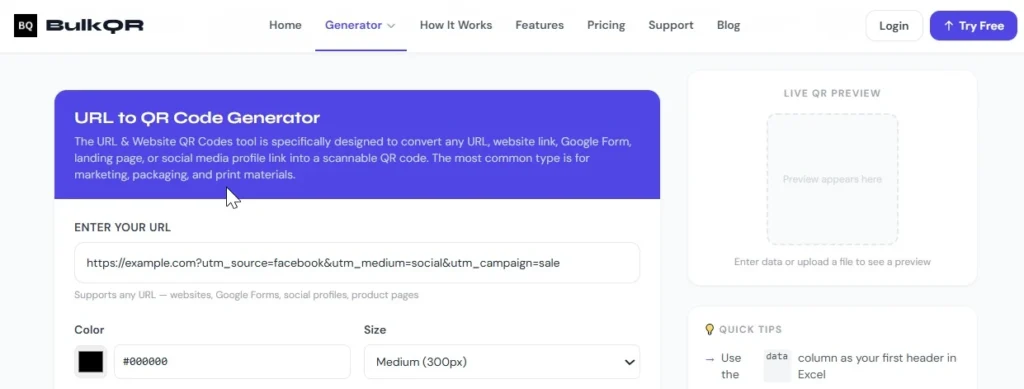
Figure 2: UTM-tagged URL pasted into BulkQR’s URL to QR code generator, full string supported without truncation
Step 3: Customize Size, Color, and Error Correction Level
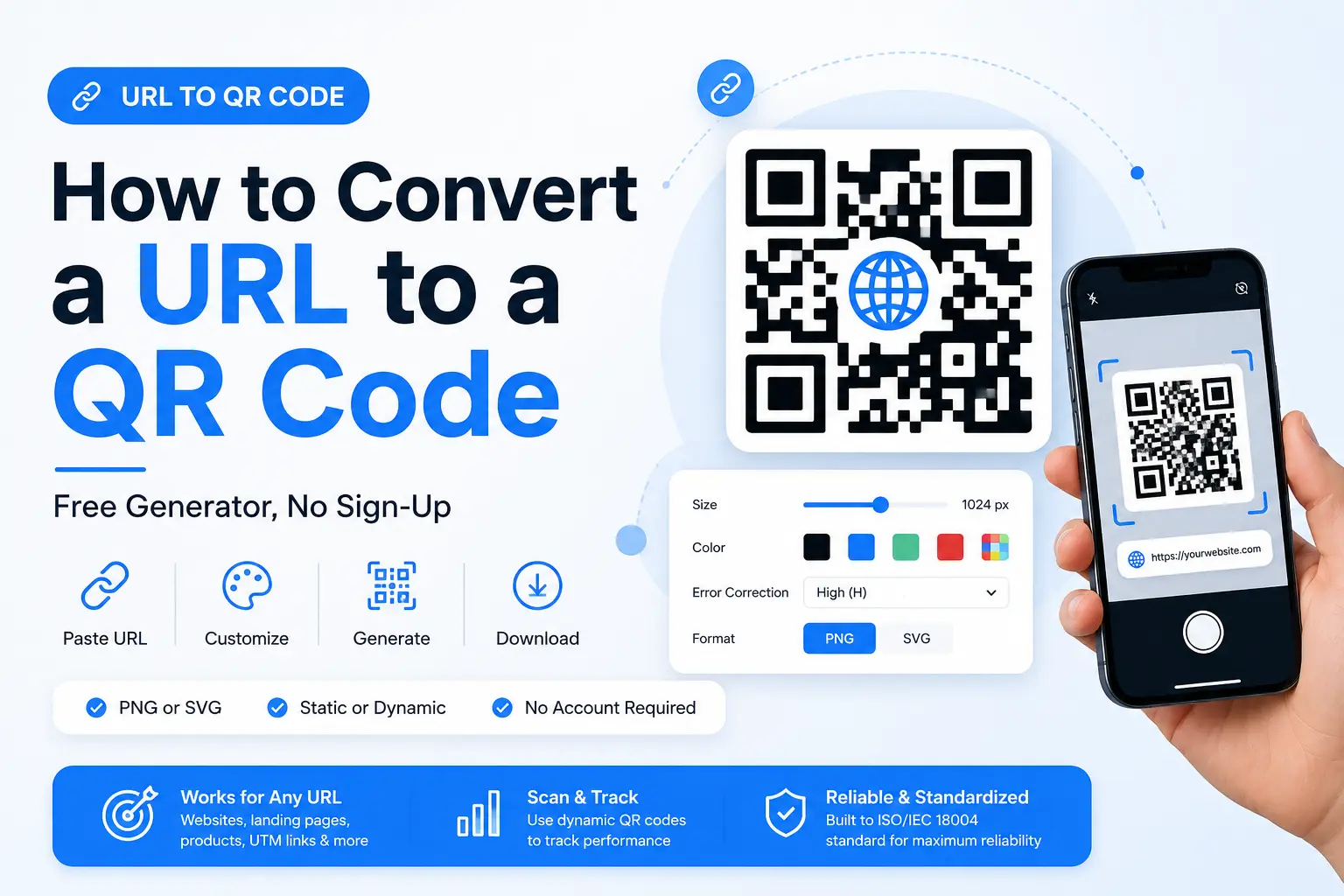
Choose your output format: PNG for digital use, SVG for print and packaging. Set your pixel size based on how large the code needs to appear.
For error correction, Medium (M) works for most cases. If you plan to add a logo or expect physical wear on the code, select High (H). Higher correction levels make the code more durable but slightly denser.
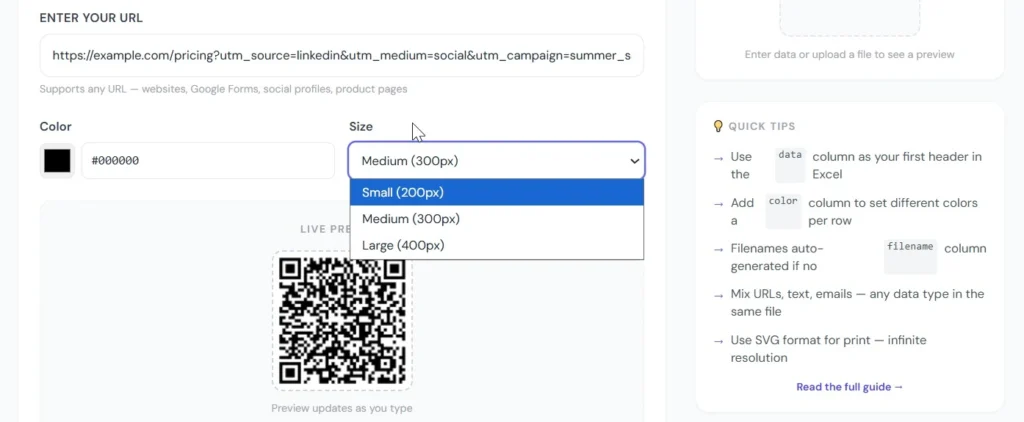
Figure 3: BulkQR QR code size and color options, PNG for digital use, SVG for print and packaging.
Step 4: Download your QR Code and test it Before Using it
Download the file. Scan it on two devices, one iPhone, one Android, before printing or publishing. If it fails to scan, reduce the URL length, increase the size, or raise the error correction level.
Testing before you commit to a print run is the single most important step. A broken QR code on 5,000 product labels is an expensive mistake.
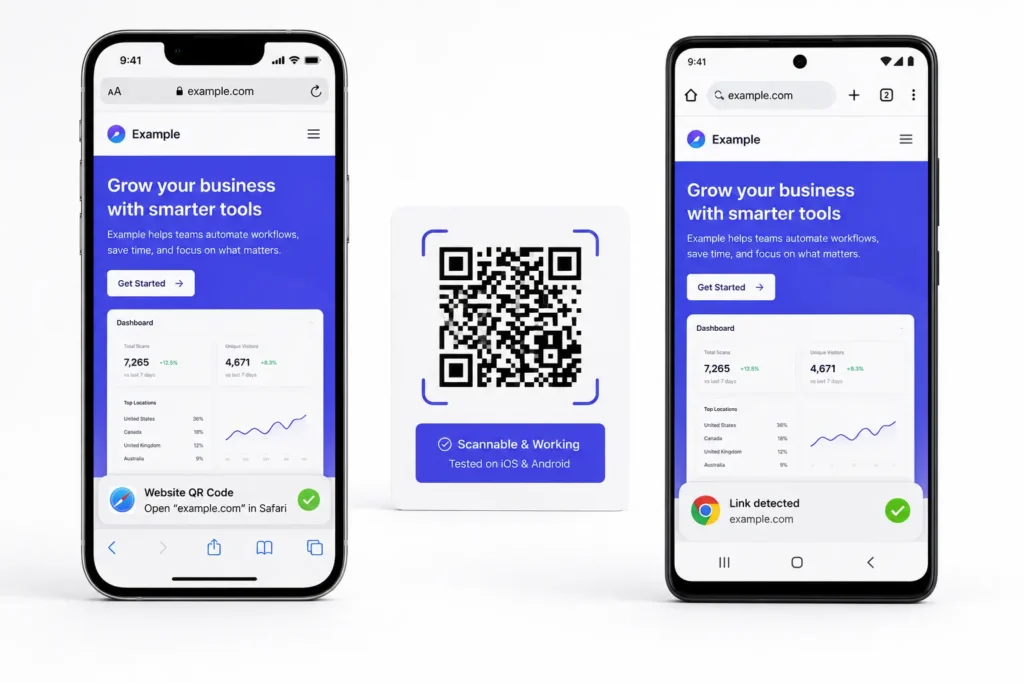
Figure 4: QR code scan test on iPhone and Android device, testing before print run.
Static vs dynamic URL QR codes: which should you use?
After generating a QR code, many people ask the same question: What happens if my URL changes? The answer depends on which type you chose.
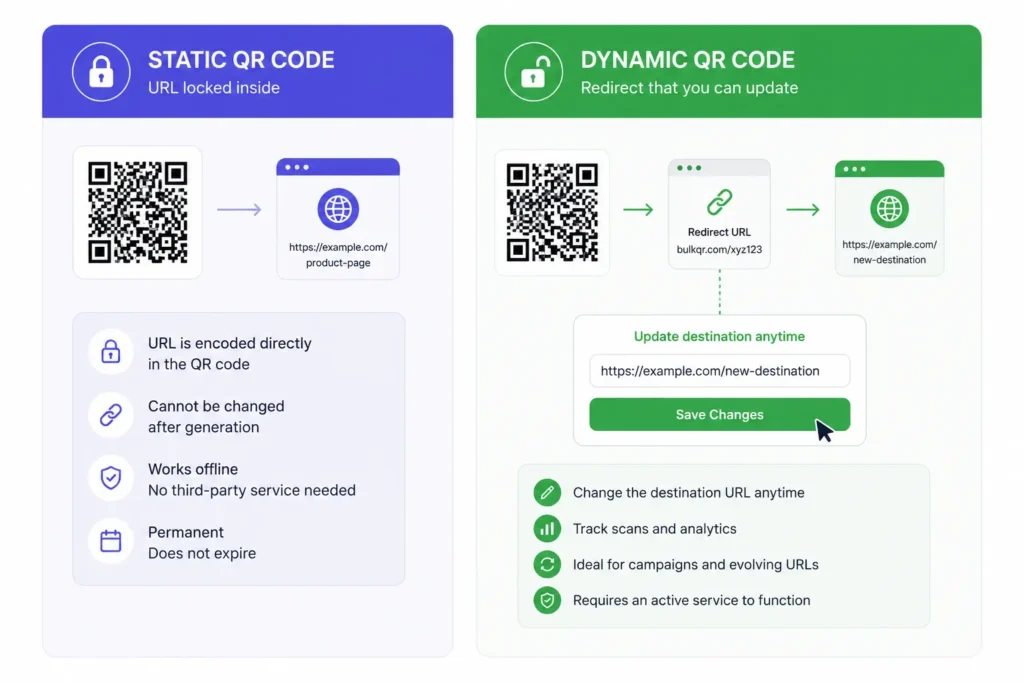
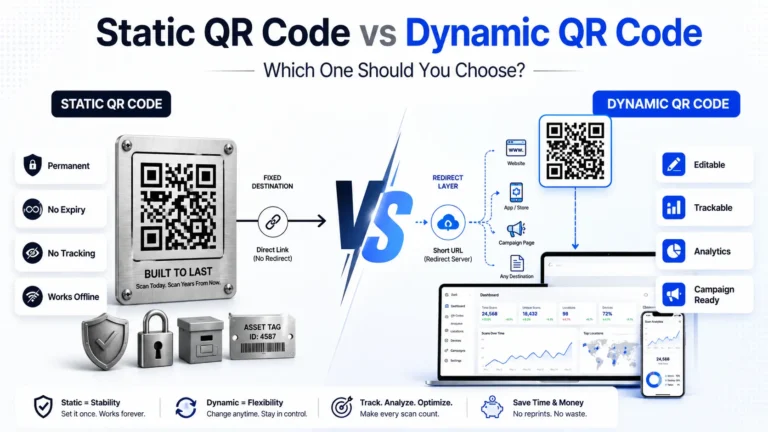
Figure 5: Static vs dynamic URL QR code comparison, static encodes URL permanently, dynamic allows redirect updates.
When to Choose a Static QR Code
A static QR code encodes the URL directly into the pattern. Once generated, the destination is fixed. You cannot update it without printing a new code. Choose static when the URL is permanent, a homepage, a product page that will not change, or a personal portfolio.
Static codes never expire. They do not need a subscription, a dashboard, or a third-party service to keep working. BulkQR’s static URL codes are free and require no account. All codes are built to the ISO/IEC 18004 standard and will scan on any device, now and in the future.
When to Choose a Dynamic QR Code
A dynamic QR code stores a short redirect URL in the pattern. That redirect points to your destination URL. You can change the destination at any time from the dashboard, without reprinting anything. Choose dynamic when you need scan analytics: how many people scanned, when, where, and on which device. Choose it when you are running a print campaign that might need a destination update. Choose it when the URL is long enough that static code becomes too dense to scan reliably. BulkQR’s dynamic QR option is available under Dynamic QR Code. For marketing teams running campaigns on product packaging or outdoor print, this is the practical choice.
What URLs can You Turn into a QR Code?
Almost any valid URL works. Here are the most useful applications, with specific advice for each.
Website Homepages and Landing Pages
The most common use is a direct link to a website or landing page. Paste https://yourdomain.com to generate a working QR code in seconds.
If you want to track how many people scan and visit, add UTM parameters before generating the code. Use utm_source=print&utm_medium=qr_code&utm_campaign=your_campaign as a starting point. Google Analytics 4 will correctly attribute the traffic.
Product Pages and e-Commerce Links
Retailers and D2C brands use URL QR codes on packaging, shelf labels, and hangtags to link directly to product pages. Scan at the shelf, arrive at the product; the buying journey is shortened by several steps.
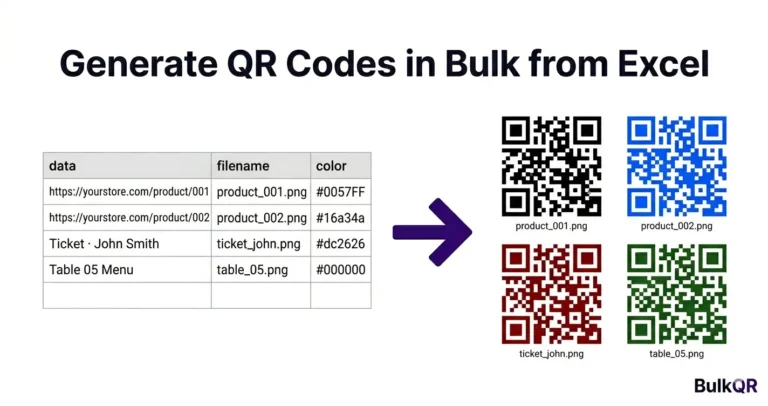
If you need QR codes for hundreds of product page URLs at once, upload an Excel or CSV file and generate all of them in one batch. See our step-by-step guide: How to Generate Bulk QR Codes from Excel →
Blog Posts and Content Links
Slide decks, printed newsletters, and event handouts all benefit from a QR code that links to a relevant article. Shorter blog URLs produce cleaner, faster-scanning codes. If your blog post URL is long, copy the canonical URL from the page’s <head>; it is usually shorter than the browser bar version.
WhatsApp Links and UPI Payment URLs
A wa.me/ link encodes cleanly into a QR code. One scan opens WhatsApp with a pre-filled message or contact. This is widely used by small businesses in India and Southeast Asia.
UPI payment links (upi://pay?pa=…) are fully supported. Restaurants, vendors, and freelancers print UPI QR codes at the point of sale. Customers pay with any UPI app, GPay, PhonePe, Paytm, by scanning once. BulkQR has a dedicated UPI payment QR generator for this use case.
Long URLs and UTM Campaign Links
Long URLs work, but they produce denser QR codes. If a URL exceeds 100 characters, the code becomes very dense and may be difficult to scan on lower-resolution cameras or at small print sizes. Two ways to handle this. First, shorten the URL using a service like Bitly or TinyURL before generating.
Second, use a dynamic QR code, which stores only a short redirect internally, regardless of how long your destination URL is. For campaign tracking, embedding UTM parameters in the URL before generating is the cleaner approach. UTM parameters pass through a QR scan exactly as they would through any other link click. Your GA4 acquisition reports will clearly show the traffic.
URL QR Code Best Practices
Generating the code is simple. Getting it right for production use takes a few more steps. These six practices prevent the most common failures.
1. Always Use https, Not http
Use the https:// version of your URL every time. HTTP URLs can trigger mixed-content warnings on some mobile browsers. Some QR scanners do not recognize a plain http://URL and display it as raw text instead of opening a browser.
2. Test on Two Devices Before Any Print Run
Scan on an iPhone and an Android before printing or publishing. Camera apps, screen brightness, and scanner algorithms vary between devices. A code that works on iOS may behave differently on Android. This two-minute check prevents expensive reprints.
3. Set the Minimum Print Size to 200px × 400 px
If you’re using BulkQR, Medium (300px) or Large (400px) exports are typically suitable for most print applications. Smaller printed sizes can reduce scanning reliability, especially for dense QR codes.
4. Keep a Quiet Zone Around the Code
The white space border around a QR code is called the quiet zone. Without at least four modules of white space on all sides, many scanners cannot detect where the QR code begins. Do not let page design elements bleed into this zone.
5. Use a UTM-Tagged URL for Any Campaign You Need to Measure
If the scan is part of a marketing campaign, embed UTM parameters in the URL before generating. This works with both static and dynamic codes. Without UTM tags, QR code traffic lands in GA4 as direct traffic, and you lose attribution entirely. A minimal UTM setup for a print campaign: ?utm_source=flyer&utm_medium=qr_code&utm_campaign=launch.
6. Download SVG for Print, PNG for Digital
SVG is a vector format. It scales to any size without losing quality, making it the right choice for packaging, banners, and signage. PNG is fine for digital use: email campaigns, web pages, slide decks. Avoid JPEG entirely. Lossy compression degrades the QR modules and can cause scan failures.
Frequently Asked Questions
How long does a URL QR code last?
A static URL QR code never expires. The URL is encoded permanently in the image and will keep scanning for as long as the destination URL is live. Dynamic QR codes from third-party platforms sometimes expire when a subscription lapses; static codes have no such dependency.
Can I change the URL in a QR code after printing?
Not with a static QR code. The URL is fixed in the pattern at the moment of generation. With a dynamic QR code, you can update the destination URL from the BulkQR dashboard at any time without reprinting.
Does URL length affect QR code quality?
Yes. Longer URLs require more data modules, making the code denser and harder for lower-resolution cameras to scan reliably. Shortening the URL before generating keeps the code sparse. A dynamic QR code achieves the same result automatically.
Can a QR code link to any website?
Yes. Any valid URL starting with https:// works, social media profiles, Google Drive links, YouTube videos, app store pages, and Google Maps locations. The only requirement is that the URL is accessible to the scanner’s browser after the scan.
Is it free to generate a URL QR code on BulkQR?
Yes. BulkQR’s URL to QR code generator is free with no sign-up required for single-code generation. PNG download is free on the free plan. SVG export and advanced color customization are available on Pro.
What URL format should I use?
Always paste the full URL, including the protocol: https://yoursite.com. Without https://, some QR scanners display the text as a plain string instead of opening a browser. Never paste a URL without the protocol.
Summary
A URL to QR code converts any web address into a scannable image. Use static code when the destination URL is fixed, and you need no tracking. Use a dynamic code when you need to update the destination later or track scan analytics. Always test on two devices before printing. Keep your URL as short as possible. Download SVG for any print application and PNG for digital use.
BulkQR generates ISO/IEC 18004-compliant URL QR codes. Single codes are free with no sign-up required. PNG downloads are free on the free plan, and SVG export is available on Pro for print-ready production files.